Schoolify – School & Coaching Class Management
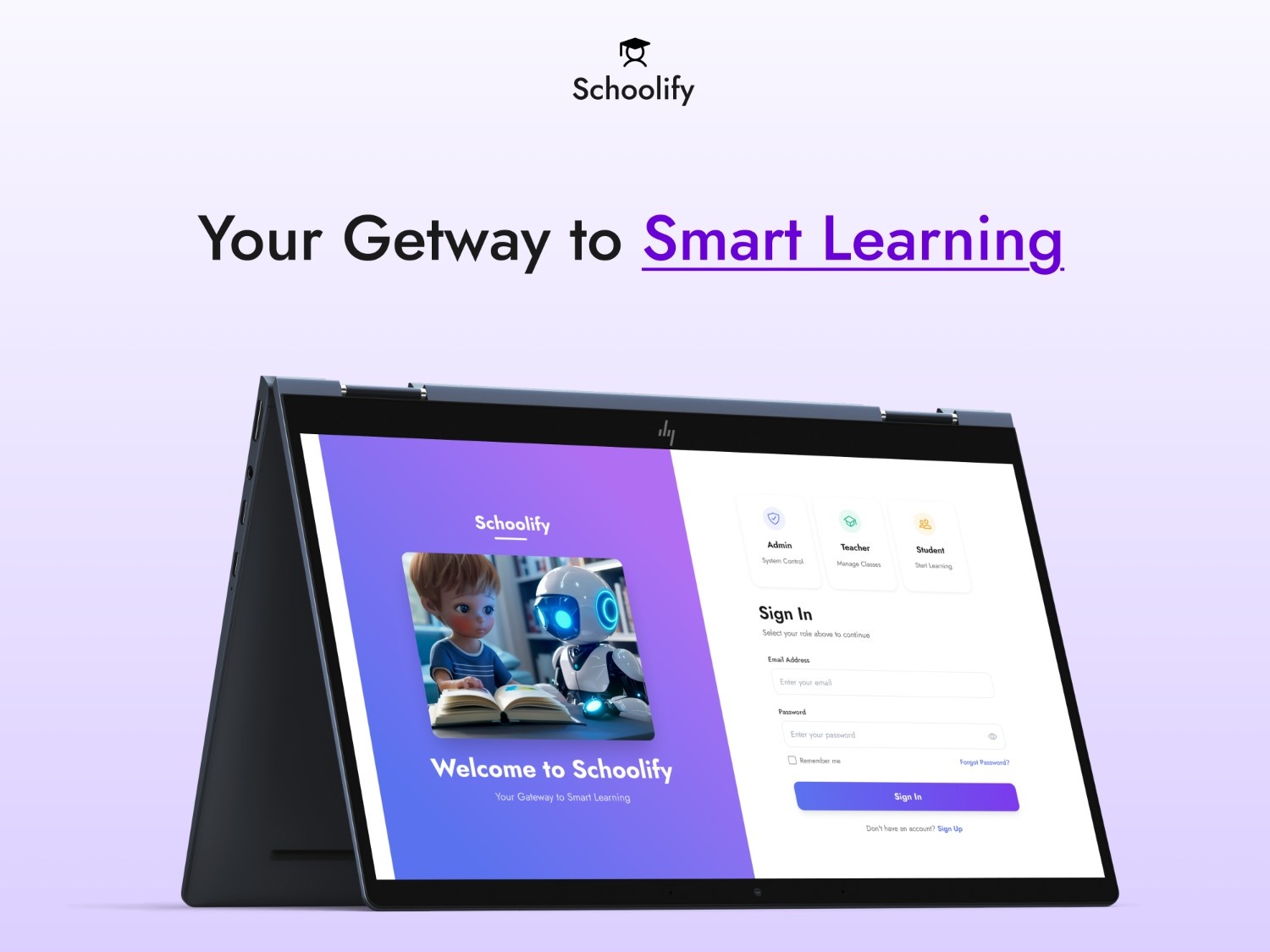
Product Type: UI/UX Kit
Product Name: School / Coaching Class Management System
Design Focus: Education Management, Admin Panels, Dashboards
Supported Users: Admin, Teacher, Student, Parent, Accountant (Optional)
Schoolify helps institutions manage students, teachers, classes, attendance, fees, exams, and communication—all through a structured and intuitive UI system.
Project Objectives
The system is designed to:
Digitize student, teacher, and class records
Manage admissions, fees, attendance, and exams efficiently
Provide role-based dashboards for admin, teachers, and students
Maintain study material, timetables, and announcements
Improve academic operations and internal communication
Support multiple classes, subjects, and batches
User Roles & Permissions
Admin
Full system access
Manage students, teachers, classes, fees, exams, and settings
Teacher
Manage assigned classes and subjects
Attendance marking and exam result entry
Homework and timetable access
Accountant (Optional)
Fee collection and payment records
Invoice generation and financial reports
Student
View timetable, homework, attendance, and exam results
Parent (Optional)
Monitor student performance
Track attendance, fees, and timetable
Core Modules & Features
A. Authentication Module
Role-based login system
Forgot / Reset password
Student & parent login via mobile or email
Multi-branch support (Phase 2 ready)
B. Dashboards
Admin Dashboard
Total students & teachers
Classes and batch summary
Fees collected vs pending
Attendance analytics
Announcements & notifications
Teacher Dashboard
Assigned classes overview
Attendance shortcuts
Homework & exam schedule
Student performance snapshot
Student Dashboard
Today’s classes & timetable
Homework list
Attendance percentage
Exam results & documents
C. Student Management
Add / Edit student profiles
Fields: Name, Class, Batch, Gender, DOB, Guardian details, Address
Upload documents (ID, Certificates, TC)
Class & batch allocation
Student history and academic progress
D. Teacher Management
Teacher profile with specialization
Subject allocation
Class & batch assignment
Attendance and result permissions
E. Class & Batch Management
Create classes (Grade 1–12 or custom)
Create batches / sections (A, B, C)
Assign students and teachers
Subject management per class
F. Attendance Management
Daily attendance marking
Present / Absent / Leave options
Class-wise and date-wise view
Attendance reports for admin & parents
G. Fees Management
Flexible fee structures (Monthly / Term / Yearly)
Fee collection & payment records
Payment modes: Cash, UPI, Bank Transfer
Auto-generated invoices
Pending dues tracking
Fee reminders (Phase 2)
H. Homework & Assignments
Homework assignment by teachers
Subject & deadline selection
Homework list for students
Submission flow (Optional Phase 2)
I. Timetable & Scheduling
Class timetable management
Subject-wise scheduling
Teacher timetable view
Weekly schedule summary
J. Exams & Result Management
Exam creation (Unit Test, Mid-term, Final)
Marks entry by teachers
Report card generation
Grade calculation logic
Printable result sheets
K. Study Materials / Resources
Upload notes, PDFs, presentations
Access based on class & batch
Download permissions
L. Announcements & Notices
School-wide announcements
Class / batch-specific notices
Dashboard visibility
UI/UX Design Requirements
Design Goals
Clean and modern education theme
Consistent typography & spacing
Sidebar-based navigation system
Responsive layouts for desktop, tablet & mobile
Required UI Screens
Login Page
Admin Dashboard
Teacher Dashboard
Student Dashboard
Student List & Add/Edit Forms
Teacher List
Class & Batch Management
Attendance Screens
Fees & Invoice Pages
Homework Screens
Exam & Result Pages
Timetable Screens
Announcements
Settings Page
Technical Specifications
✓ Allowed Usage
Personal and commercial projects
Client projects for schools or institutes
SaaS or internal management systems
Modify and customize designs
Use in paid or free applications
✗ Not Allowed Usage
Reselling or redistributing the UI kit
Sharing source files publicly or privately
Uploading to other marketplaces
Claiming the design as original work
Creating competing UI kits
Frequently Asked Questions
Is Schoolify suitable for both schools and coaching institutes?
Yes. The UI is designed to support schools, coaching centers, and academies.
Does it support multiple user roles?
Yes. Admin, Teacher, Student, Parent, and Accountant roles are included.
Is the design responsive?
Yes. The UI adapts to desktop, tablet, and mobile screens.
Can I customize modules or screens?
Absolutely. All components and layouts are fully editable.
Is a prototype included?
Yes. Clickable prototypes for major workflows are included.


Reviews
There are no reviews yet.